You can make a particular agent available to selected employees without giving every employee access to every agent.
Add an employee
- Open the main Agents page.
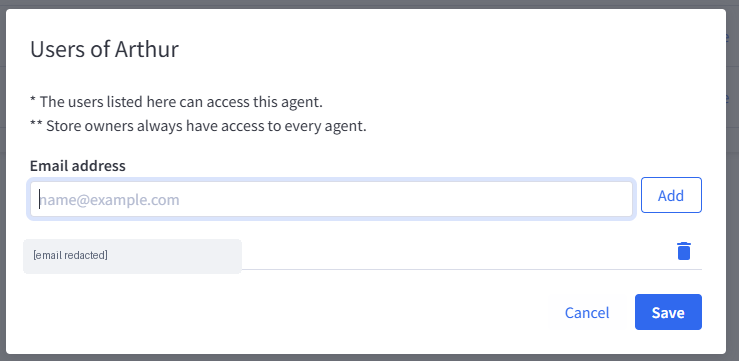
- Select Users next to the agent you want to share.
- In the Users of [agent name] dialog, enter the employee's email address.
- Select Add.
- Select Save to confirm the updated access list.
The dialog lists email addresses currently allowed to access that agent. To revoke access, use the delete icon beside an address, then save.
Store owners always have access to every agent. This is stated directly in the Users dialog.
Employee access vs. agent permissions
These settings solve different problems:
- Users controls which employees are allowed to access a specific agent.
- Permissions controls the BigCommerce API access available to that agent.
For example, you might give your content team access to one agent and separately configure that agent so its BigCommerce API credentials do not permit order access.
Changing the employee access list does not by itself change the agent's BigCommerce API scopes.
Related articles
Was this article helpful?
That’s Great!
Thank you for your feedback
Sorry! We couldn't be helpful
Thank you for your feedback
Feedback sent
We appreciate your effort and will try to fix the article