MerchantAI agents can use supported integrations to work with services beyond BigCommerce. Integrations are configured for the selected agent.
Open the Integrations dialog
- Go to the main Agents page.
- Select Integrations beside the agent you want to configure.
- Choose a category in the left-hand navigation.
- Expand the target platform, enter its requested settings, and select Save Changes.
The dialog shows a connection indicator for platforms that have been configured (for example, Connected).
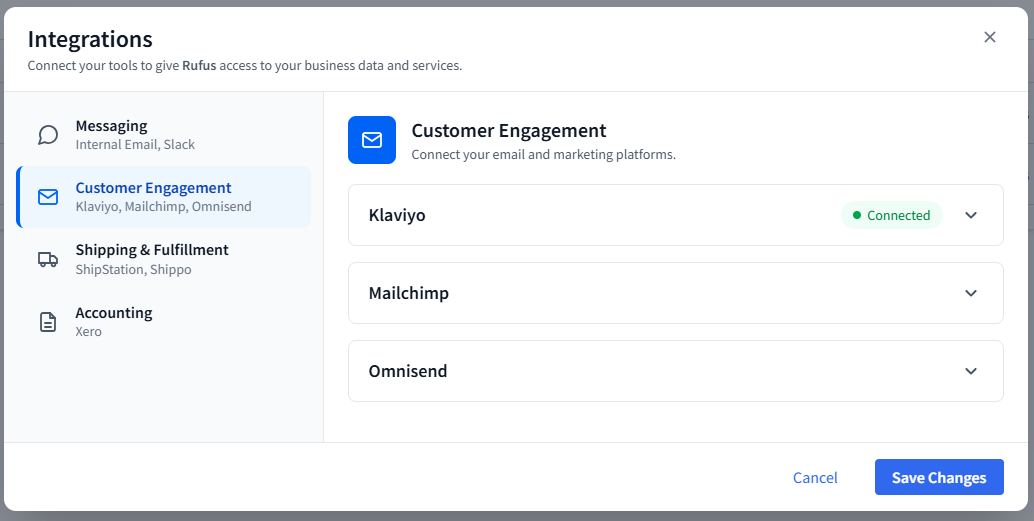
Supported platforms
Customer Engagement
- Klaviyo: API Key
- Mailchimp: API Key
- Omnisend: API Key
Shipping & Fulfillment
- ShipStation: API Key
- Shippo: API Key
Accounting
- Xero: Client ID and Client Secret
Messaging
- Slack: Bot Token, App Token, Allowed Users, and Home Channel ID
- Internal Email / Email Delivery: Allowed Recipients for agent-generated operational emails
The individual capabilities available for a connected service depend on MerchantAI's supported integration operations and the access granted by that service's credentials.
Keep integrations separated by responsibility
If you create agents for different roles, configure each agent with only the external services it needs. Be aware that BigCommerce API permissions and third-party platform credentials are separate access mechanisms.
Related articles
Was this article helpful?
That’s Great!
Thank you for your feedback
Sorry! We couldn't be helpful
Thank you for your feedback
Feedback sent
We appreciate your effort and will try to fix the article